Sony PSP (PlayStation Portable)
Sony's first handheld (2004), halfway to a home console. A proprietary UMD medium, a fine 480×272 screen, and a very rich homebrew / custom firmware scene (Pandora, PRO/ARK) that make it a major preservation object.
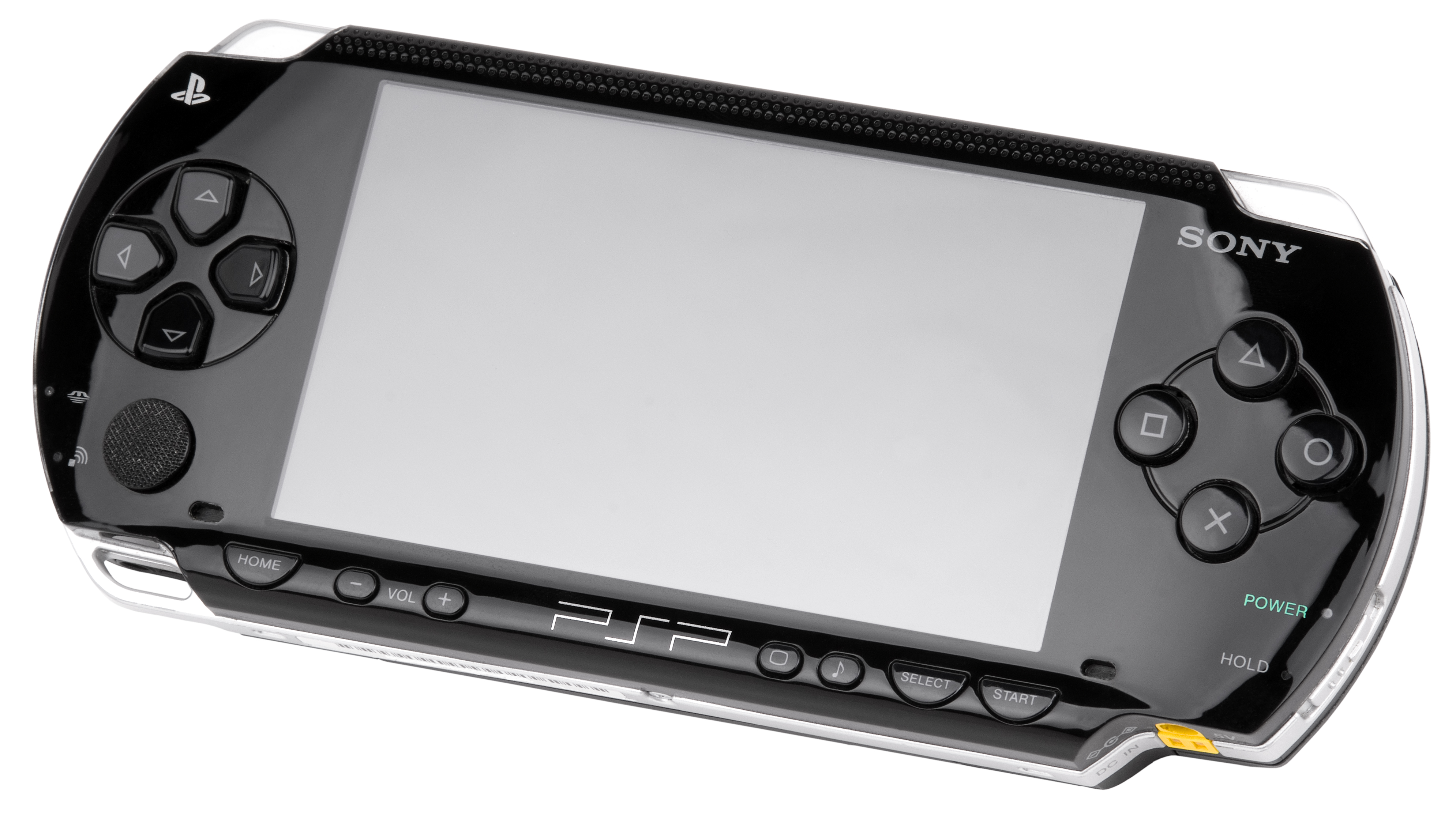
Identification
| Field | Value |
|---|---|
| Manufacturer | Sony |
| Release | 2004 (JP), 2005 (US/EU) |
| Generation | 7th (handheld) |
| Models | 1000 (fat) · 2000 (slim) · 3000 · Go (N1000) · Street E1000 |
| Screen | 4.3″ 480×272, 24-bit (3.8″ on the Go) |
| Media | UMD (Universal Media Disc) + Memory Stick PRO Duo |
Architecture
| Block | Chip | Clock | Role |
|---|---|---|---|
| CPU | MIPS32 R4000 (core + Media Engine) | 222–333 MHz | capped at 222 MHz at launch, unlocked later |
| GPU | custom graphics engine | rendering + surface engine (~2.6 GFLOPS) | |
| Memory | 32 MB (PSP-1000) · 64 MB (2000+) | ||
| Screen | 480×272 LCD, 24-bit | 4.3″ (3.8″ on the Go) | |
| Media | UMD drive + Memory Stick PRO Duo | Go: no UMD, 16 GB internal + M2 | |
| Network | Wi-Fi 802.11b | (absent on the Street E1000) |
Models & revisions
- PSP-1000 ("fat", 2004): 32 MB RAM, 1800 mAh battery, the toughest for mods.
- PSP-2000 ("slim", 2007): thinner, 64 MB, video out, 1200 mAh battery.
- PSP-3000: improved screen (better contrast, less ghosting), built-in microphone.
- PSP Go (N1000): no UMD drive, 16 GB internal + Memory Stick Micro (M2) — fully download-based, 3.8″ sliding screen.
- PSP Street (E1000): budget model, no Wi-Fi and no stereo speaker.
Accessories & games
- UMD: a proprietary optical disc in a shell (games + UMD Video).
- Region-free for games; UMD Video (movies) are region-locked.
- Memory Stick PRO Duo for saves, music, homebrew.
- Library: God of War: Chains of Olympus, Monster Hunter, Metal Gear Solid: Peace Walker, GTA: Liberty City Stories, Daxter, Patapon, LocoRoco…
Custom firmware & homebrew
The PSP is one of the most open consoles of its era:
- Pandora Battery + Magic Memory Stick: a service mode to unbrick and install custom firmware (mainly on the PSP-1000).
- Permanent CFW: the PRO / ARK-4 / Infinity families depending on model and OFW version — homebrew, emulators, ISOs from the Memory Stick.
- Note: late models (some hardware revisions) support only part of the methods — identify model + version before choosing.
Common faults
| Symptom | Likely cause | Lead |
|---|---|---|
| Swelling battery | Aged Li-ion cell | Replace the battery (safety) |
| Imprecise analog stick | Worn/dirty nub | Clean / replace the nub |
| UMD won't read | Optical drive / mechanism | Clean, or go download-based (CFW + Memory Stick) |
| Screen/pixel issues | LCD panel | Panel replacement |
| Dead button | Membrane / ribbon | Replace the ribbon |
Original service manual ✅
Manufacturer manual archived locally. It typically carries the schematics, the block diagram, the expected voltages and waveforms, the parts list and the disassembly procedures — the reference when a symptom matches no known fault.
- PSP-2000 (TA-085 board) — Sony service manual — PDF
Status
A manufacturer document with no explicit licence, kept for preservation (machine long out of production). Source: Internet Archive.
Procedure — a dead console, step by step ✅
Backlight and battery
The backlight inverter carries a high voltage, live, on a board you are holding. And a swollen lithium cell is not to be pierced or bent — take it out first and put it somewhere safe.
What this adds
Ordered for a console, not for an arcade board: what kills these is almost never the CPU. It is, in real order, the power supply, the capacitors, the drive or the cartridge slot, and only then the logic. → PCB diagnosis
1. The power supply. Two cases, depending on the machine. External brick: ⚠️ read the marking on the machine, next to the socket, and check the adapter against it — voltage and polarity. A centre-negative machine fed centre-positive loses its fuse, sometimes its regulator; do not trust a third-party label or a generic tip. Internal supply (the machine plugs straight into the wall): mains is inside the shell. Unplug, wait, and confirm the large capacitors are discharged before touching the board. Either way, measure under load: a failing supply holds its voltage until it is asked for current.
1b. Battery and its contacts. On this machine, before anything else: corroded battery contacts, or a cell that reads fine off-load and collapses under it, give exactly the symptoms of a dead machine.
2. The fuse. Many of these machines have one right behind the socket — it is the part designed to die. Test it in continuity, out of circuit. A fuse that blows again is a short, not a fuse problem.
3. Capacitors. On most machines of this age this is the default suspect rather than a last resort — leaking SMD electrolytics eat the tracks underneath before they give any other sign. ⚠️ Not all of them are like that: some carry very few and are not recapped on principle. Read what this page says about it before reaching for the iron. → Recap
4. The drive. On this machine it is the dominant failure point. In order: does the tray move, does the disc spin, is the lens clean (cotton bud, isopropyl alcohol, no pressure), do the rails slide freely. A laser that no longer reads gets replaced; the gain pot is not something to tweak blind — that is the move that finishes off a laser that was still good.
5. The screen. Lines, a dead half, a picture that fades: it is almost always the ribbon and its solder joints, not the panel. Reseat before you order anything. If this machine has a TV output — not all of them do — test that too: it tells the screen apart from what feeds it.
6. Still nothing. Now, and only now, the logic: rails on the board, reset, clock, bus. → PCB diagnosis
Preservation & emulation
- CFW: launching games from the Memory Stick avoids wearing the UMD drive.
- Adapters: microSD → Memory Stick (Pro Duo) adapters for modern storage.
- Emulation: PPSSPP (mature, HD rendering, very portable).
Mods & repair — what to buy, how
- CFW (software, 0 soldering 🟢): the PSP's main "mod" is software — see Custom firmware above (Pandora/PRO/ARK-4/Infinity). Identify model + OFW version before choosing.
- microSD → Memory Stick Pro Duo adapter 🟢: replaces the pricey Memory Stick with a cheap microSD (great with CFW to play without UMDs). Plug-and-play.
- Battery 🟢: fresh Li-ion cell — always replace any swelling battery (safety). (Tip: a Pandora battery is used to install CFW on the PSP-1000.)
- Analog nub 🟡: the nub gets gritty/worn → clean or replace (cheap part, faceplate teardown).
- Screen / charge port / button flex 🟠: replacement LCD panels, power connector and flex cables are common (full teardown, fragile ribbons).
- UMD: if the drive weakens, move to digital (CFW + microSD) rather than depending on the mechanism.
Photos / assets
(To add: 1000 vs 2000 vs Go, UMD, analog nub, Memory Stick.)
Advanced repair
Screen/ribbon, UMD drive, battery (swelling) = weak points. Methods: PCB fault-finding · Recap · Traces & vias.
Sources & attribution
- Wikipedia — PlayStation Portable (specs, models, dates) — CC-BY-SA — https://en.wikipedia.org/wiki/PlayStation_Portable
Image:
-
psp.jpg— Evan-Amos, public domain — https://commons.wikimedia.org/wiki/File:Sony-PSP-1000-Body.jpg

Review & corrections
How this space is used
Spotted a wrong value, an outdated procedure, a chip reference that does not match your board? Say so here, with what you observed (model, board revision, serial number, measurement). Every report is cross-checked against a source before anything changes — an unverifiable correction is published as “reported by …, not cross-checked” rather than silently applied.
Reading is open to everyone; posting requires signing in with Discord. Reports from the wiki's declared reviewers are handled first; anyone else's are read too, but go through a human before anything is changed.