Taito Canary
A sit-down JAMMA candy cab by Taito (1991), before the Egret series. Compact (~660 × 805 × 1280 mm, 1710 including the instruction stand), a 25″ dual-frequency 15/24 kHz monitor, rotatable — in two variants, with or without a rotate mechanism.
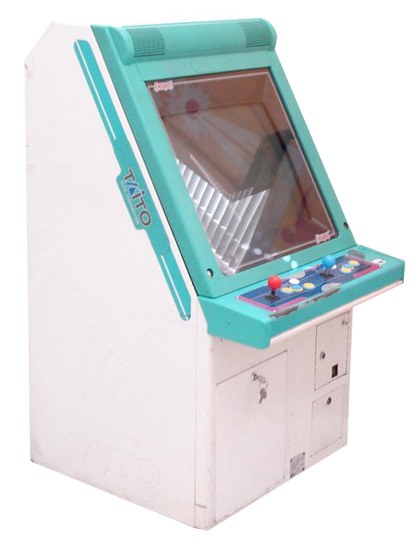
Identification
| Field | Value |
|---|---|
| Manufacturer | Taito |
| Year | 1991 |
| Type | sit-down candy cab, JAMMA |
| Screen | 25″ colour CRT, 15/24 kHz — Nanao or Toei chassis depending on the unit ⚠️ |
| Rotation | two variants: with or without a monitor rotation mechanism |
| Consumption | 110 W / 1.5 A (manual) · ~120 W / 1.4 A (flyer) — see below |
| Weight | ~95 kg with the rotation mechanism · ~93 kg without |
| Dimensions | 660 × 805 × 1280 mm (W×D×H) — 1710 mm including the instruction stand |
Figures taken from the Taito manual
The service manual gives, on its 仕様 page: 横幅 660 mm (width), 奥行 805 mm (depth), 高さ 1,280 mm for the cabinet and 1,710 mm including the instruction stand — not "with marquee" as this page said: the Canary carries an instruction stand, not a marquee.
The manual also corrects two points: the cabinet exists with or without a monitor rotation mechanism (95 kg against 93 kg), where this page claimed there was none; and it gives 110 W, a figure that was missing.
Two Taito documents, two consumption figures
The manual (p. 2) gives 消費電力 110W and 最大電流値 1.5A. The 1991 sales flyer, SPEC. box, gives 消費電力 約120W(最大消費電流 1.4A).
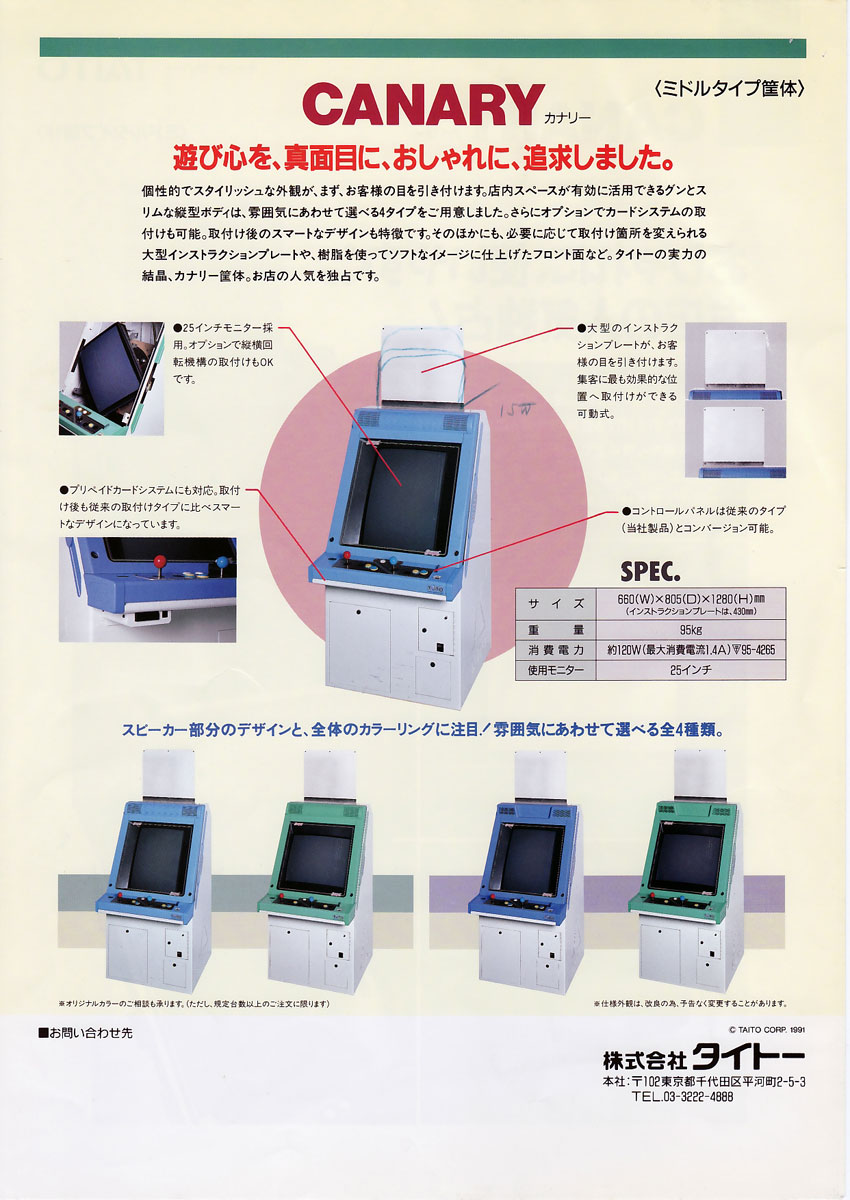
Two manufacturer documents, two figures, neither obviously wrong. Both are published rather than an arbitrary pick; to size an installation, take 120 W.
The flyer does add something the manual lacks: the instruction plate is 430 mm — so 1,280 + 430 = 1,710, exactly the manual's height including the instruction stand. The two documents agree to the millimetre.
⚠️ Arcade Otaku states "805 x 660", the reverse order — the fourth cabinet where their infobox puts depth first without saying so.
The manual further describes eight shell variants: two colours, round or square speaker, and with or without the rotation mechanism.
⚡ Connectors & power
- JAMMA (CRT) → JAMMA wiring, buttons Control panels.
- 100 V AC candy brick (Japan) → candy PSU + a step-down transformer on 230 V.
Common faults
| Symptom | Likely cause | Lead |
|---|---|---|
| Unstable / washed-out image | Nanao or Toei chassis / recap | Identify the chassis, then recap + adjustments |
| No picture | power / harness / chassis | Diagnose power → monitor |
| Dead controls | JAMMA harness / microswitches | Diagnose I/O, clean |
Repair & maintenance
Modernise (video, PSU, JVS, upscaler, PC/FPGA) → Modernising a cabinet. CRT monitor (discharge HV!) → CRT safety · Nanao MS8 chassis if yours is a Nanao — ⚠️ Taito also documents Toei chassis, see other chassis · recap → Recap · power → candy PSU · diagnosis → PCB fault-finding.
Procedure — a cabinet that will not start ✅
There is a CRT in this cabinet
The tube stays charged with the cabinet unplugged, and the anode cap is the first thing your hand meets behind the monitor. Discharge it, work with one hand, and never alone if you can help it. → CRT safety
This cabinet is documented as 100 V
It does not go straight onto a European socket. It needs a step-down transformer rated for the whole cabinet, monitor included — not a travel adapter. Feeding 230 V to a cabinet built for 100 V destroys the supply, and usually the monitor with it. → Cabinet power
What this adds
Ordered for a cabinet, not for a board: mains, low-voltage supply, loom, monitor, then the game. The overwhelming majority of "dead cabinets" are dead for a reason that has nothing to do with the PCB — which is why the board comes last here.
1. Mains, and what sits between it and the cabinet. The switch, the fuse or breaker, the isolation transformer if there is one. A cabinet that shows no sign of life at all is almost never electronic.
2. The low-voltage supply — measured under load. Aim for +5 V where power reaches the board — the JAMMA edge, or the JVS power connector, depending on the cabinet — with the game running, not on an idle bench. If the supply has an adjustment (most candy and JVS bricks do; the ATX brick in a PC cabinet does not), do it then and not before: set off-load, it leaves a board that boots and then glitches. With no adjustment the measurement still earns its keep — it tells you whether the supply holds. Check +12 V too, and −5 V if the board uses it: many do not, and an ATX brick does not provide it. → Cabinet power
3. The loom and the connector. Reseat, and check the grounds — a cabinet with a poor ground gives rolling picture, phantom inputs and noise, all at once, and none of it looks like a wiring fault. → Wiring
4. The monitor. This page describes the monitor as: 25″ colour CRT, 15/24 kHz — Nanao or Toei chassis depending on the unit ⚠️. CRT: no picture but the tube is warm and there is EHT — that is sync or video, not the tube. No EHT at all — chassis. A picture that shrinks, wanders or shifts colour is a chassis recap, and on these monitors that is a scheduled job, not a repair.
5. Scan rate — the mismatch that breaks nothing. If the board's rate is not one the monitor accepts, you get no picture and nothing is faulty. Check what this cabinet takes against what the board puts out before opening anything. → Modernising a cabinet
6. The control panel. Microswitches and the loom, in that order. A single dead direction is a switch; a whole player dead is the loom or its ground. → Control panels
7. Coin mech and sound. Last, because they hide nothing: a mech that no longer registers is usually dirty or misadjusted, and silence with a good picture points at the amplifier and its supply rails.
Manuals (archived)
- 📘 Canary — service manual (PDF, 40 pp.) — contains the 仕様 page (page 2) that this page's dimensions, consumption and weights come from, the classification of the eight shell variants (page 3) and the wiring diagram W1000231A (last page).
(Source: Arcade Otaku Wiki, archived locally for preservation.)
See also
- Egret II / 3 (later Taito candy cabs) · Other candy cabs · Big format (Megalo/Teatro).
Sources & attribution
- The Arcade Flyer Archive — Canary Cabinet (Taito, 1991) — https://flyers.arcade-museum.com/videogames/show/6054
- Taito service manual — Canary Standard (archived:
manuals/taito-canary-manual.pdf): the 仕様 page — 横幅 660 mm, 奥行 805 mm, 高さ 1,280 mm / 1,710 mm including the instruction stand, 110 W, 1.5 A, 25″, ~95 kg with the rotation mechanism and ~93 kg without; page 3 — the eight shell variants - Taito — CANARY sales flyer, © TAITO CORP. 1991, SPEC. box — archived here (front · back) — 660(W) × 805(D) × 1280(H) mm, instruction plate = 430 mm, 95 kg, 約120 W (1.4 A max), 25″ monitor, rotation mechanism optional, 4 colourways. Found via The Arcade Flyer Archive
- Arcade Otaku Wiki — Taito Canary (25″ 15/24 kHz monitor, JAMMA) — ⚠️ three points corrected against the archived Taito manual: dimensions in reverse order, rotation given as "no mechanism" when two variants exist, and the chassis fixed to "Nanao MS8" when Taito documents Toei and Nanao — https://wiki.arcadeotaku.com/w/Taito_Canary
- Highway Games — Canary by Taito — https://www.highwaygames.com/arcade-machines/canary-10301/
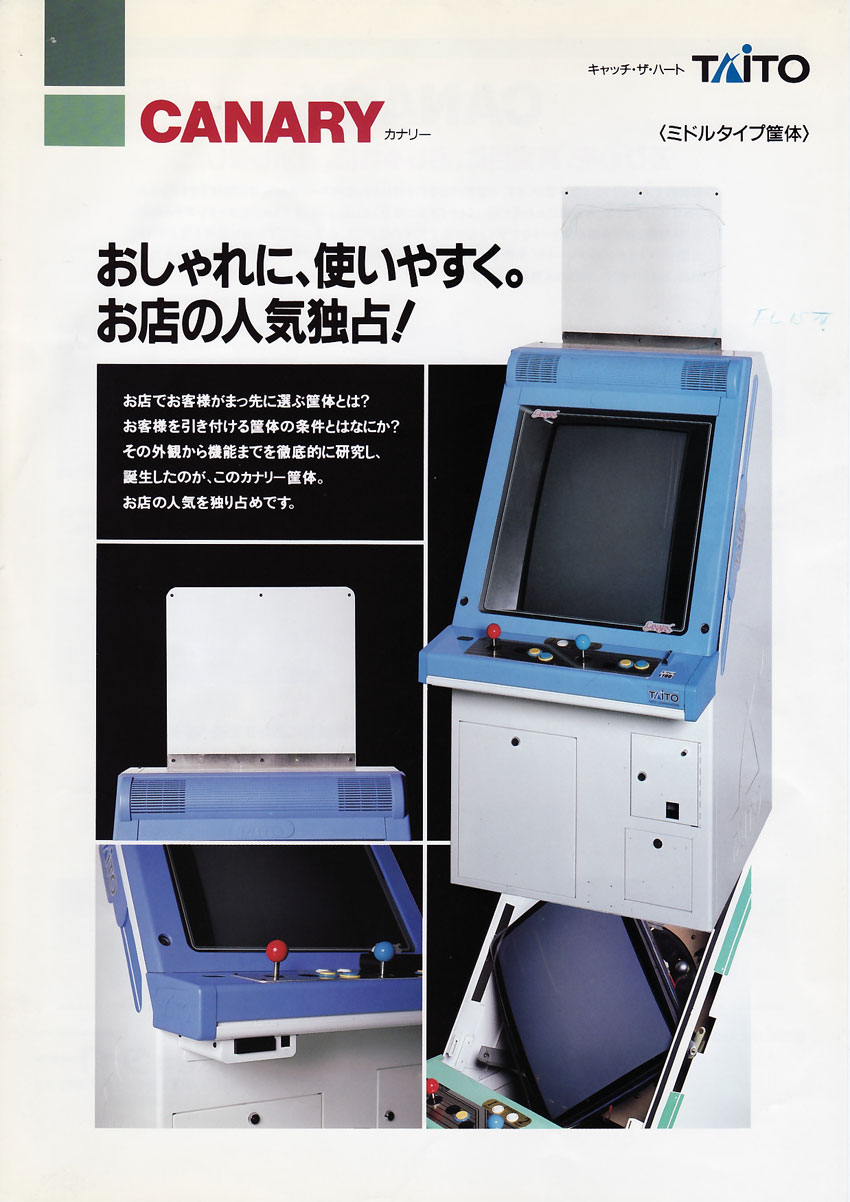
Image:
-
canary-borne.jpg— catalogue view, source Hard*Candy (⚠️ no licence statement anywhere on the site) — https://www.hard--candy.com/wiki/candy/Canary
Review & corrections
How this space is used
Spotted a wrong value, an outdated procedure, a chip reference that does not match your board? Say so here, with what you observed (model, board revision, serial number, measurement). Every report is cross-checked against a source before anything changes — an unverifiable correction is published as “reported by …, not cross-checked” rather than silently applied.
Reading is open to everyone; posting requires signing in with Discord. Reports from the wiki's declared reviewers are handled first; anyone else's are read too, but go through a human before anything is changed.