Mattel Aquarius
A 1983 micro, Mattel's attempt at home computing — dropped within months. Technically a Z80 at 3.58 MHz and a TEA1002 colour encoder whose frequency changes with the television standard.
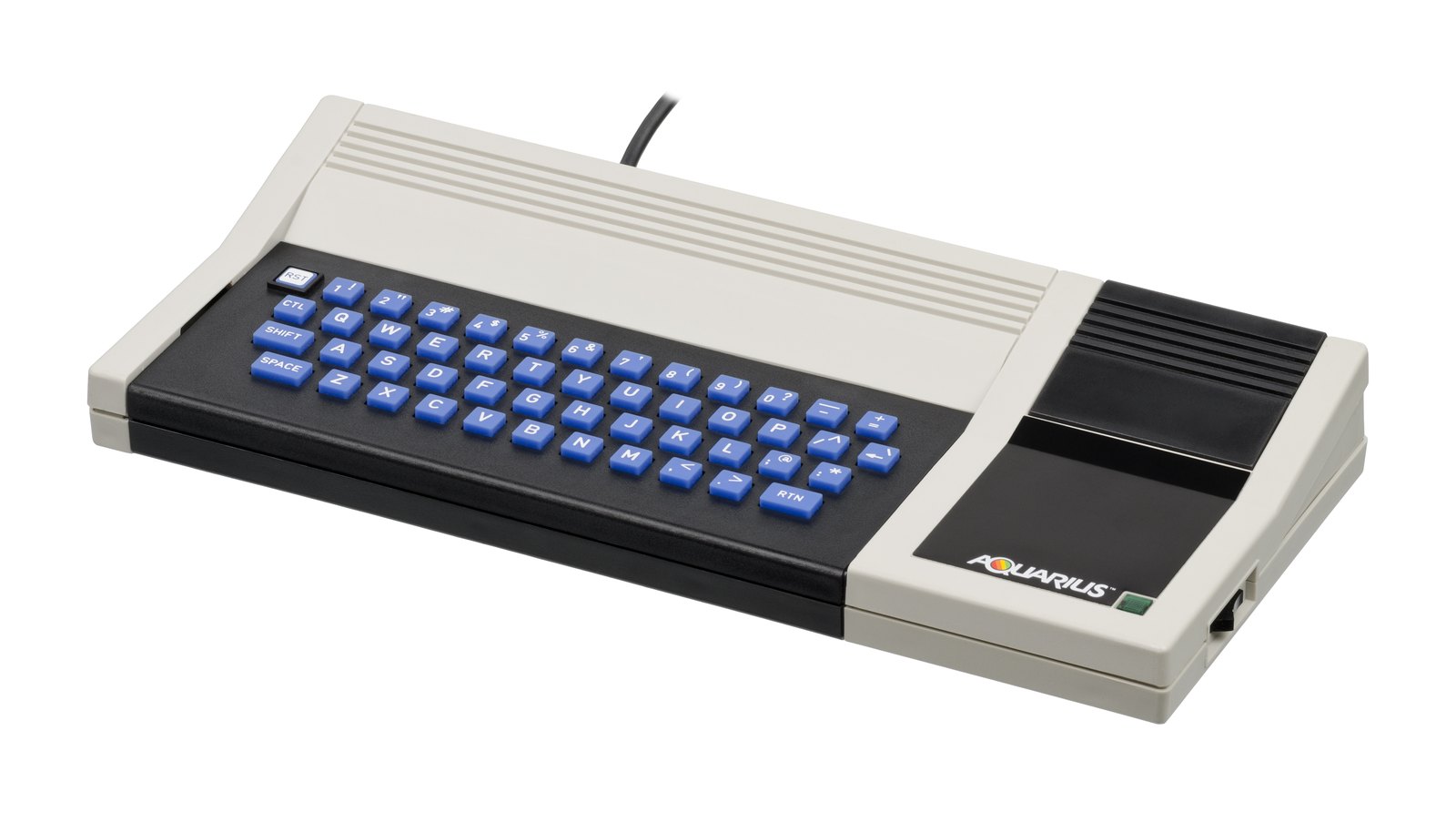
Identification
| Field | Value |
|---|---|
| Manufacturer | Mattel Electronics |
| Year | 1983 |
| CPU | Z80 @ 3.579545 MHz (7.15909 crystal ÷ 2) |
| Colour encoder | TEA1002 — "PAL colour encoder and video summer" |
| Screen controller | HD61K202P ("CRT/System Controller", per the board layout) |
| Versions | NTSC, PAL, Aquarius II (Radofin, 1984), Arabic Aquarius (Ecico, different character set) |
| Media | cartridge and tape (X-6010 recorder) |
Expected clocks — measurement table ✅
| Component | NTSC | PAL |
|---|---|---|
| Z80 | 3.579545 MHz | 3.579545 MHz |
| TEA1002 | 7.15909 MHz | ⚠️ 8.867238 MHz |
The video chip does not run at the same frequency in both standards
The Z80 is identical on both versions, but the TEA1002 runs at 7.15909 MHz on NTSC and 8.867238 MHz on PAL. The scan follows: 262 lines on NTSC against 312 on PAL.
Measuring 8.867 MHz on a PAL machine is therefore normal.
Caveat on the video timings
The MAME driver opens with a TODO: "proper video timings, seems to be some contention involved", and its code compensates for that contention while admitting it "needs a better understanding of video timings".
No malfunction flag therefore does not mean the timings are verified.
Common faults
| Symptom | Likely cause | Lead |
|---|---|---|
| Won't start | Z80 or the crystal | Expected: 3.58 MHz at the CPU |
| No picture | HD61K202P, or the TEA1002 | ⚠️ The TEA1002 is the colour encoder and video summer, not the picture generator: its failure can kill the output, but it is not the only lead. Frequency depends on the standard — see the table |
| Cartridge not recognised | connector contacts | Isopropyl, never an abrasive |
Repair (technician)
- Identify the standard before measuring: it is the only difference recorded between the NTSC and PAL versions, and it lands on the colour encoder.
- A low-volume 1983 machine: specific parts are scarce, the standard logic is not.
→ Methods: PCB diagnosis · Recap
Procedure — a dead computer, step by step ✅
What this adds
Ordered for a home computer: what kills these is its power supply, its battery, its capacitors, its socketed RAM and its keyboard — roughly in that order, and well before the CPU. → PCB diagnosis
1. The power supply — measured before it is plugged in. This is the one step not to swap around. On a machine of this age a supply does not simply stop: a 5 V regulator that fails high puts 7, 9, 12 V onto the bus and takes the RAM and the custom chips with it. Measure every rail off the machine, under a dummy load if you can, and only then plug it in.
2. The battery, if it has one. Any RTC or backup cell soldered to a board is a future leak. If yours has one and it has never been changed, take it out before it takes the tracks with it. → Backup batteries
3. Capacitors. Recap is the default on these machines, not a last resort — and on the supply first, since that is what protects everything else. → Recap
4. RAM, on its sockets. These machines were built to be repaired: the RAM, and often the logic, sit in sockets. Reseat everything first — thirty years of oxide is a classic no-boot. Then swap chips: a bad RAM chip usually gives a repeatable pattern of garbage or a screen frozen at a fixed character.
5. The keyboard. A console does not have one; a computer's is a wear part. A membrane keyboard fails as whole dead rows or columns — that is the membrane, not the machine. A mechanical one wants its contacts cleaning, not replacing. Check this page: the failure mode is often documented per model.
6. Storage — tape or disk. Both often come down to the same things: a dirty head, and for tape the azimuth and a belt turned to tar. ⚠️ On the floppy side, check whether the mechanism actually has a belt before looking for one: many do, but some drives are direct drive, and hunting a belt that isn't there means stripping a drive for nothing. A machine that boots but loads nothing is a drive fault, not a logic fault — do not go looking on the board for it.
7. Video output. RF, composite, RGB or a dedicated monitor, depending on the machine (see Identification). Test with something else before you conclude: a period modulator and a modern TV disagree far more often than either is broken.
8. Still nothing. Now the logic: rails on the board, reset, clock, bus. → PCB diagnosis
Archived manufacturer documentation ✅
These are NOT manufacturer documents
Verified in the metadata: the board layout is the work of Sean Harrington, made in Visio in September 2019, and carries his own caveats on page one — "DRAFT" and "NOT TO SCALE!". The documentation is a third-party compilation signed AntoPISA.
Useful, but to be read as community surveys, not as period Mattel material.
Sources & attribution
- MAME —
src/mame/mattel/aquarius.cpp(BSD-3-Clause): the Z80 at 7.15909 MHz ÷ 2, the TEA1002 at 7.15909 MHz on NTSC and 8.867238 MHz on PAL — the MAME device describes it as a PAL colour encoder and video summer, and the 458 × 262 (NTSC) against 458 × 312 (PAL) scans; the four machines — Aquarius (NTSC), Aquarius (PAL), Aquarius II (Radofin, 1984) and Arabic Aquarius (Ecico, year unknown in the source, distinct character set) — none carrying a malfunction flag, which does not mean the timings are verified (see the contention TODO) — https://github.com/mamedev/mame/blob/master/src/mame/mattel/aquarius.cpp
Image:
-
aquarius-machine.jpg— Evan-Amos, Public domain — https://commons.wikimedia.org/wiki/File:Mattel-Aquarius-Computer-FL.jpg

Review & corrections
How this space is used
Spotted a wrong value, an outdated procedure, a chip reference that does not match your board? Say so here, with what you observed (model, board revision, serial number, measurement). Every report is cross-checked against a source before anything changes — an unverifiable correction is published as “reported by …, not cross-checked” rather than silently applied.
Reading is open to everyone; posting requires signing in with Discord. Reports from the wiki's declared reviewers are handled first; anyone else's are read too, but go through a human before anything is changed.